
AI agents like Claude Code, Antigravity, and Cursor are becoming the way professionals work. You prompt them, they execute — code, research, content, you name it.
But here’s the thing: these agents are only as good as the knowledge they can access. And when you need them to leverage your company’s knowledge base — product docs, industry research, hundreds of pages of internal expertise — you hit a wall.
That’s where RAG meets MCP, and that’s what this article is about.
Context window or RAG? When you need what
Let’s start with the basics. AI agents have two ways to access knowledge: through their context window or through external retrieval (RAG).
When the context window is enough
Agents like Claude Code or Antigravity use what’s called “skills” — markdown files loaded directly into the agent’s context window. The agent reads the full content and follows the instructions.
This works great for specific, short instructions: a 3-5 page document explaining how to approach a task, a coding standard, a workflow guide. The whole text fits in the context window with room to spare.
But skills are not designed for massive knowledge bases. You wouldn’t put a 200-page regulation document or your entire website’s content as a skill — the agent would be overwhelmed, accuracy would drop, and it would cost a fortune in tokens.
When RAG is the answer
RAG (Retrieval-Augmented Generation) shines when the content is large. Big PDFs, your whole website sitemap indexed as a knowledge base, industry documentation, internal wikis — this is RAG territory.
Instead of loading everything into the context window, RAG only retrieves the most relevant chunks for a given query. It’s fast, it’s affordable, and it’s efficient because the AI works with just the right context — not the entire library.
If you want to understand the full picture of how RAG works and its business applications, we’ve covered that in depth.
The combo: skills + RAG
The best setups combine both approaches. A skill explains how to leverage insights (the instructions), and a RAG platform retrieves which insights are relevant (the knowledge).
For example, a content creation skill would instruct the agent: “Before writing, query the Lookio assistant for industry insights on the topic.” The skill is the workflow; RAG is the brain.
Why AI agents need MCP for knowledge retrieval
Now, here’s the key question: how does an AI agent actually use a RAG platform?
In a traditional automation (like an n8n workflow or a Make scenario), every step is mapped out in advance. You decide which API to call, in what order, with what parameters. It’s programmatic — and it works great for workflows that need to scale.
But agentic setups are different. When you’re working with an AI agent — your personal assistant helping you in real-time — you don’t anticipate the entire flow in advance. The agent needs to make decisions on the spot: maybe it needs to query a knowledge base, maybe it needs to upload a new document first, maybe it needs to create a new assistant for a specific task.
This is where MCP (Model Context Protocol) comes in. MCP is the standard that gives AI agents discoverable access to external tools. Instead of hardcoding API calls, the agent sees the available actions and uses them autonomously as needed.
And for RAG, this is a game-changer.
Lookio’s MCP server: Full RAG autonomy for your agents
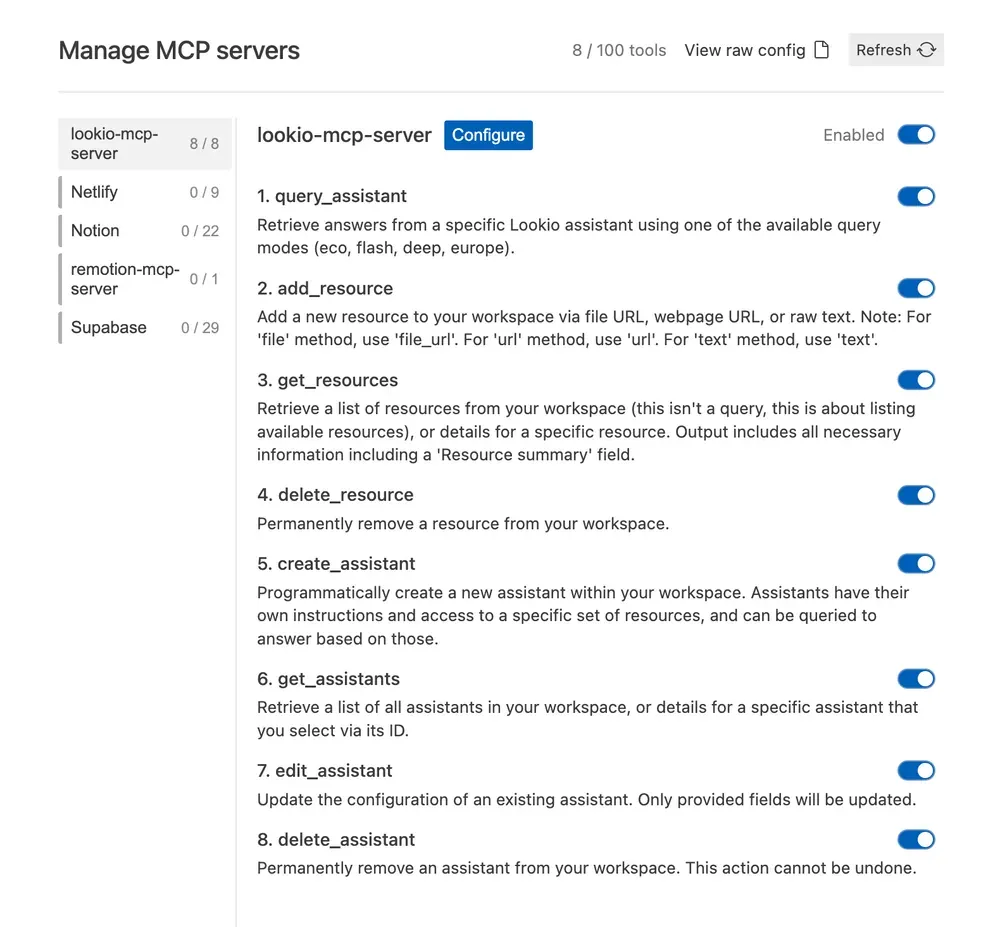
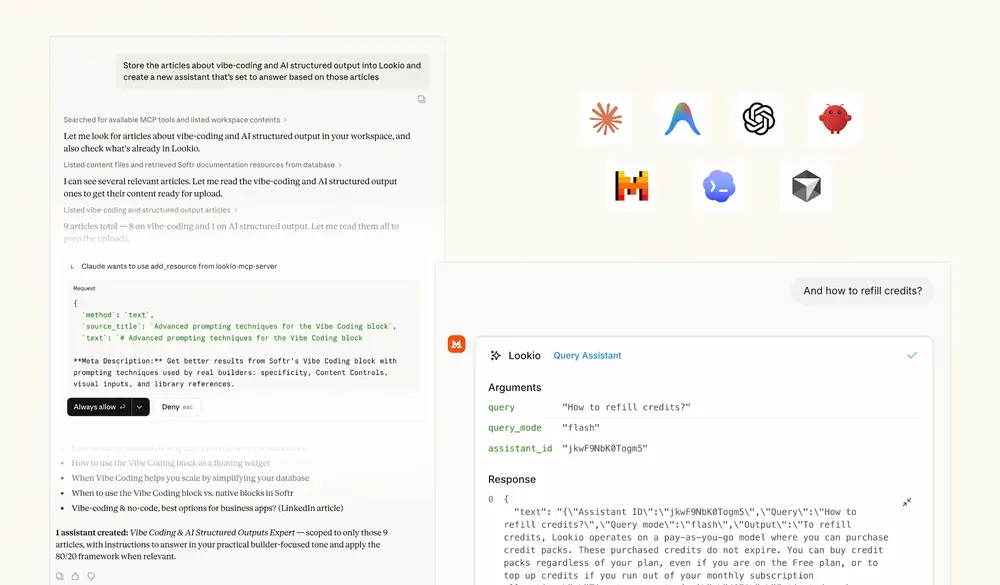
Lookio has released an MCP server that mirrors its entire API. This means that when you provide the Lookio MCP to your AI agent, it can autonomously:
- Query your assistants — run knowledge retrieval queries using any of the four query modes
- Manage resources — add, list, or delete resources in your workspace
- Manage assistants — create, edit, get details, or delete assistants
All of this within a single prompt execution.
A concrete example
Imagine you ask your agent: “Find the top documentation pages about carbon accounting regulations, add them to my Lookio workspace, create an assistant based on those resources, and then query it about the latest compliance requirements.”
With the Lookio MCP, the agent orchestrates all of this for you — discovering URLs, uploading them as resources, creating the assistant with the right instructions, and querying it — in one go.
Configuration
To connect your agent to Lookio’s MCP server, add this to your MCP settings:
"lookio-mcp": {
  "serverUrl": "https://api.lookio.app/v1/mcp",
  "headers": {
    "api_key": "YOUR_API_KEY"
  }
}
That’s it. Your agent now has full access to your Lookio workspace.
Query modes that match your needs
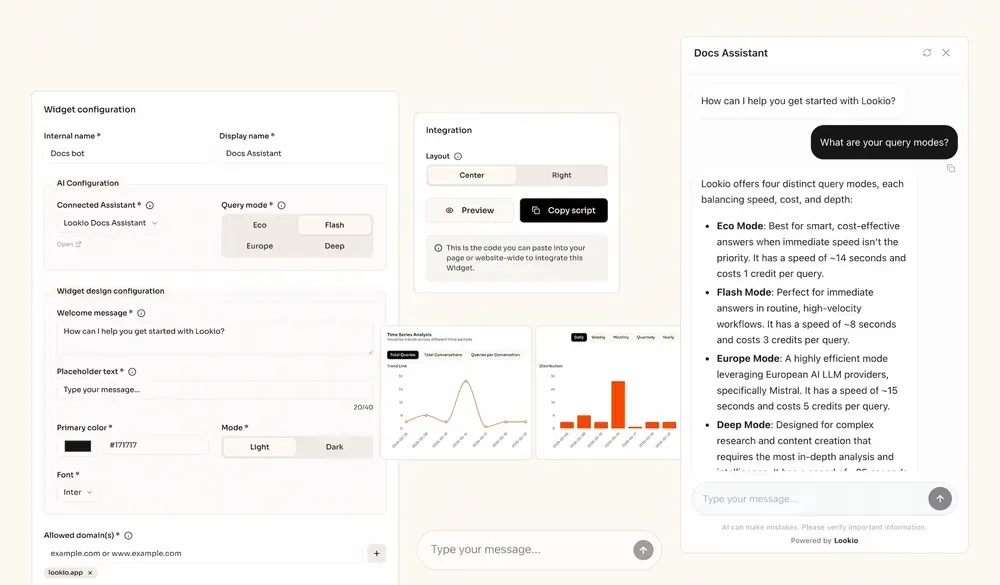
Not every query needs the same level of depth. Lookio offers four distinct query modes so you can balance speed, intelligence, and cost:
- Eco Mode (1 credit, ~14s): Smart, cost-effective answers for non-urgent queries.
- Flash Mode (3 credits, ~6s): Fast and reliable — the sweet spot for most agent-assisted workflows.
- Europe Mode (5 credits, ~15s): Leveraging European AI technology (Mistral) for efficient processing.
- Deep Mode (20 credits, ~25s): Maximum intelligence for complex research and in-depth analysis.
Your agent picks the right mode based on the task, or you can instruct it to default to a specific one.
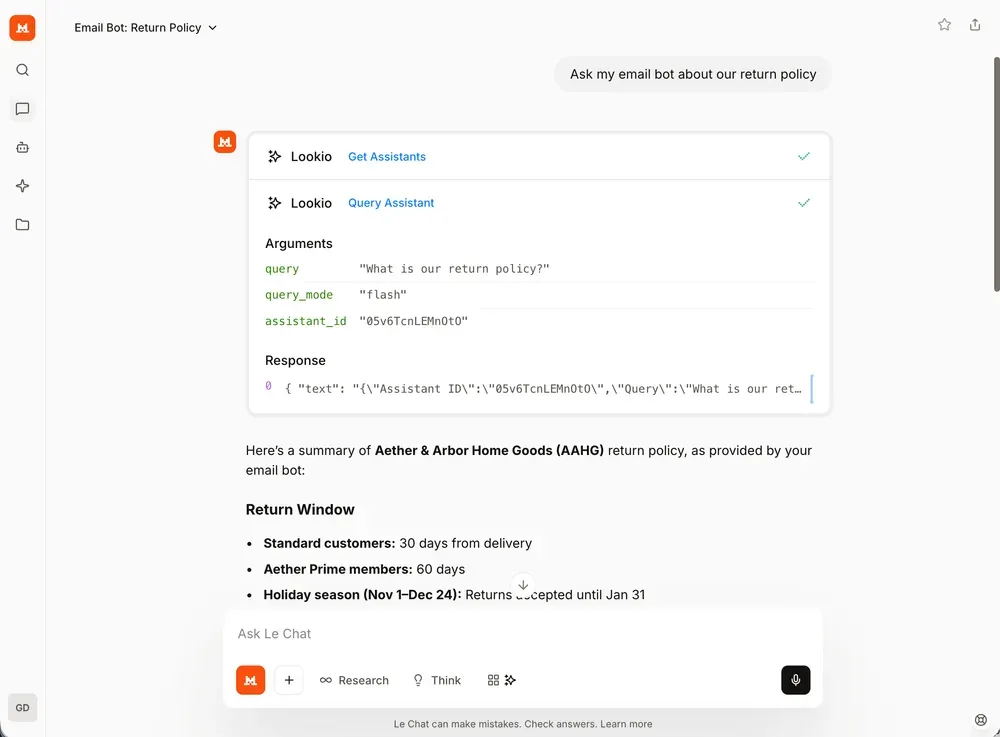
Whether you are using a terminal-based agent or a desktop application, the configuration remains consistent and straightforward.
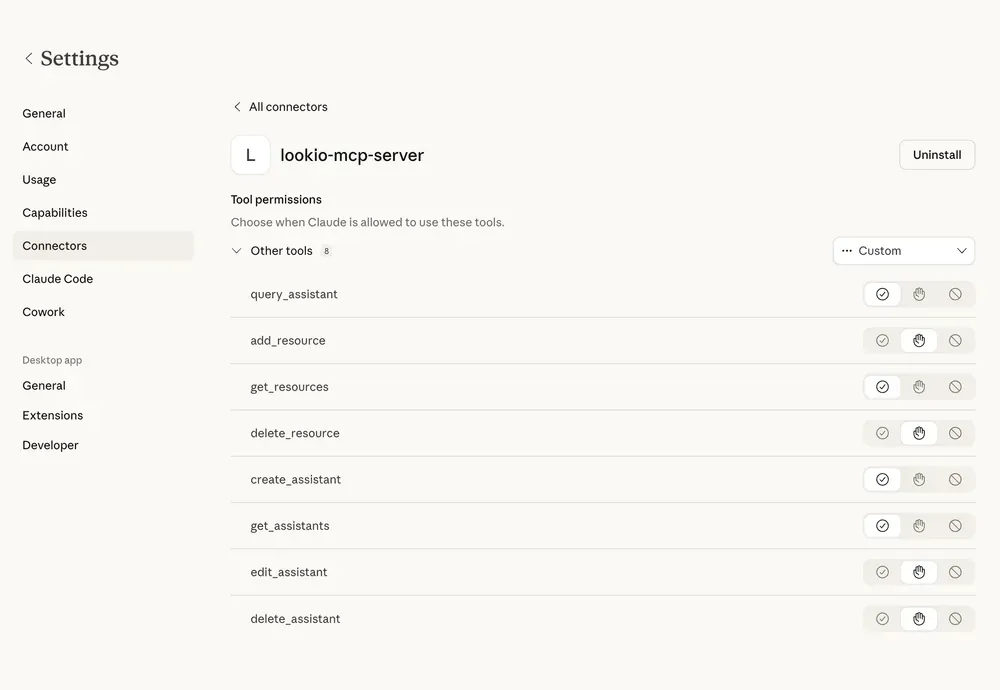
Specific Agent Setup Guides
If you are using a specific AI agent, we have created step-by-step guides to help you get the Lookio MCP server running in seconds:
- Claude Code — Give your coding agent access to your full company documentation.
- Antigravity — Boost your productivity with RAG at scale.
- Mistral Vibe — Set up instant knowledge access in your terminal.
- OpenAI Codex — Connect your knowledge base for advanced coding tasks.
For developers who prefer a more direct approach from the terminal without using the protocol, you can also explore our MCP & CLI capabilities or the Lookio CLI guide.
MCP vs. API: When to use which
Lookio’s MCP doesn’t replace the API — they serve different purposes.
Use MCP when you’re being assisted
When you have a personal AI agent helping you work — Claude, Antigravity, Cursor, Mistral — and you don’t know in advance which actions need to happen, MCP is the right choice. The agent has autonomy to decide whether to query, upload, create, or delete resources based on what you need in the moment.
Use the API when you’re building automation
When you’re building workflows that need to scale — SEO content generation pipelines, customer support bots, bulk processing — you want full control over every step. That’s where the API shines, especially through automation platforms like n8n or Make.
The API gives you deterministic, programmable, scalable orchestration. You map each step, you control the flow, and you can run it thousands of times.
Four ways to interact with Lookio
Overall, Lookio now offers four flexible ways to leverage your knowledge base:
- The platform — upload resources, configure assistants, and chat directly in the web interface to test and iterate.
- The API — full programmatic control for scalable, automated workflows via n8n, Make, Zapier, or custom integrations.
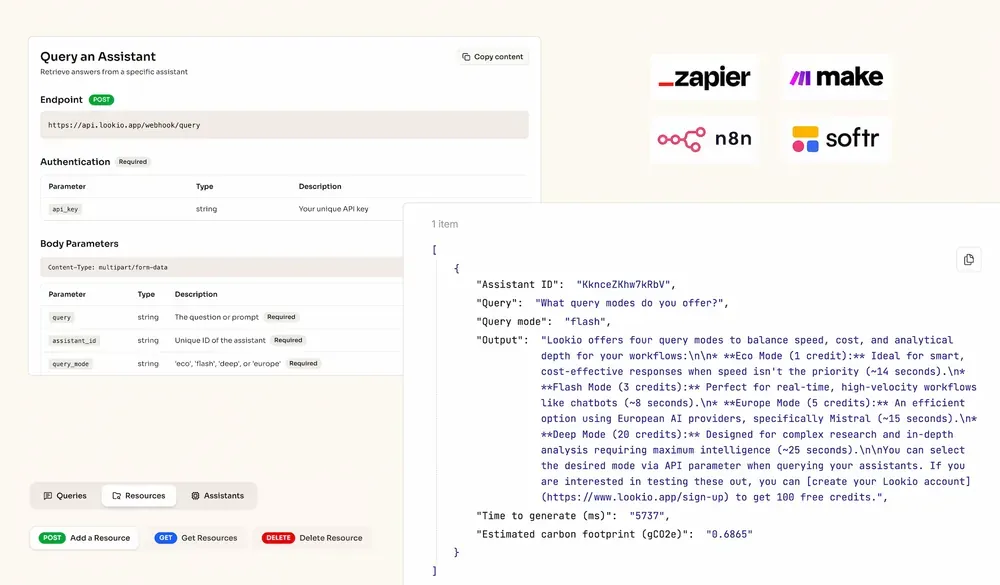
- The MCP server — agent-compatible access for autonomous AI assistants that manage and query your knowledge base on the fly.
- Widgets — integrate your assistants as a modern chat widget directly on your website or documentation, starting at approximately €0.02 per query.
Final thoughts
RAG is essential whenever your knowledge base goes beyond what fits in a context window — and with MCP, your AI agents can now leverage RAG autonomously, without you having to map every step.
Lookio makes this easy with a complete MCP server that mirrors its full API, four query modes for every use case, and a platform that’s designed to go from documents to automated expertise in minutes.
Create a free Lookio account — you get 100 free credits to start, no credit card required. And if you need help setting things up, get in touch!